
Subscriber-side Wi-Fi diagnostics, on the device that has the problem
JustiFi Home
JustiFi Home is an app the subscriber installs on their own phone or laptop. It scans the wireless environment from where the complaint actually is, fingerprints every device on the network, diagnoses interference and coverage problems, and reports a structured finding back to the operator — with an AI agent that walks the subscriber through the fix before a ticket is ever raised.
Broadband operators and ISPs who want first-line diagnosis to happen on the subscriber's device, before the call reaches the contact centre.
- On-device
- scanning from where the problem is
- No install
- browser edition for quick checks
- AI agent
- guided resolution in-app
Your telemetry stops at the router. The complaint starts three rooms away.
CPE telemetry tells you what the gateway can see. It cannot tell you that the subscriber works in a back bedroom behind two brick walls, that a neighbour just moved onto the same channel, or that a smart TV is saturating the airtime every evening. The one device that can see all of that is the one the subscriber is holding.
The router says everything is fine. The subscriber is standing in the one room where it is not.
What it costs you today
- A router reporting healthy while the subscriber has no usable signal
- Interference from neighbouring networks you have no visibility of
- Unidentified devices on the network that nobody can account for
- Truck rolls dispatched to problems a two-minute scan would have found
How JustiFi Home works
The decisions that shape the platform, and why they were made that way.
Measure from where the complaint is
The subscriber walks to the room that is slow and taps scan. The app records signal strength, noise, channel utilisation, visible neighbouring networks, throughput, latency and jitter at that exact spot — data no gateway can produce, because the gateway is not standing there.
Know what every device actually is
Fingerprinting profiles each connected device by type, vendor, model and capability rather than by a hostname somebody never set. Once the network knows a device is a security camera and not a laptop, traffic can be prioritised accordingly and an unexpected device becomes visible immediately.
Fix it before it becomes a ticket
An AI agent interprets the scan and explains the finding in language the subscriber understands — move the mesh node, change the channel, this device is saturating the airtime — then walks them through the change. Most Wi-Fi complaints are resolvable at the subscriber end if somebody explains how.
When it does escalate, escalate with evidence
If the app cannot resolve it, the complaint arrives with the scan attached: signal readings, interference sources, device inventory and throughput history. Your support desk opens a ticket that already contains the diagnosis instead of starting with "have you tried restarting it".
What you get
- Native apps for iOS and Android, plus desktop for laptops
- Browser edition that measures speed, latency and jitter with no install
- Wireless environment scanning: channels, neighbours and interference
- Signal strength mapping room by room as the subscriber walks
- Device fingerprinting and accurate profiling of everything connected
- Traffic prioritisation driven by what each device actually is
- AI agent that diagnoses in plain language and guides the fix
- Structured fault reports sent straight to the operator, not free text
- Complaint lodging and status tracking inside the app
- White-label branding and drop-in SDK for your existing subscriber app
What the subscriber sees
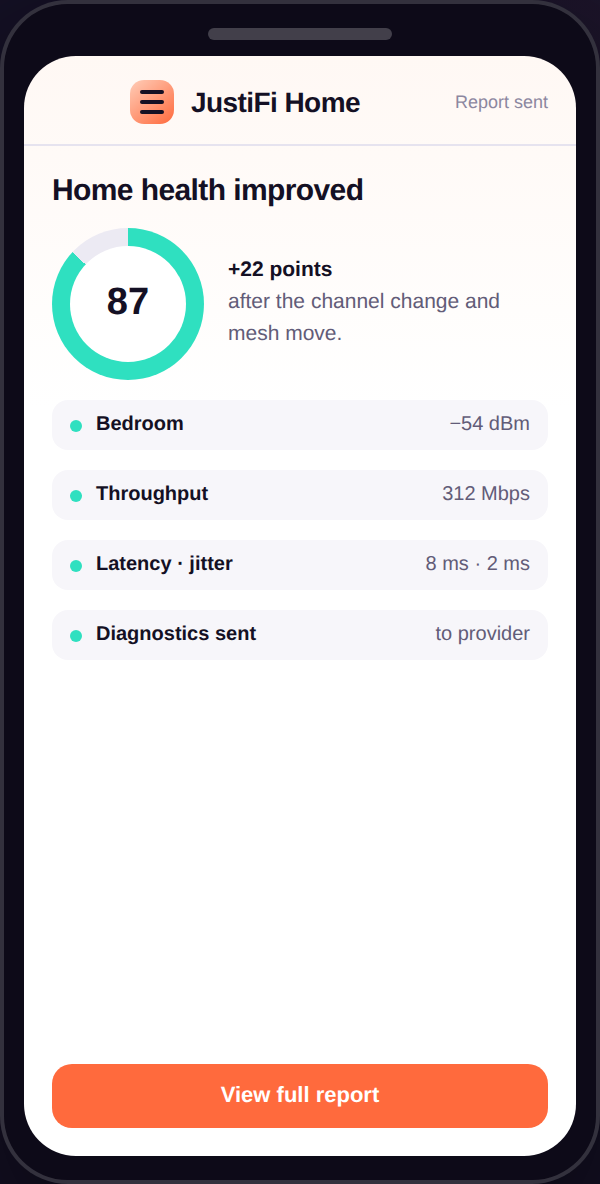
The whole journey, from the first scan to the report that reaches your support desk.
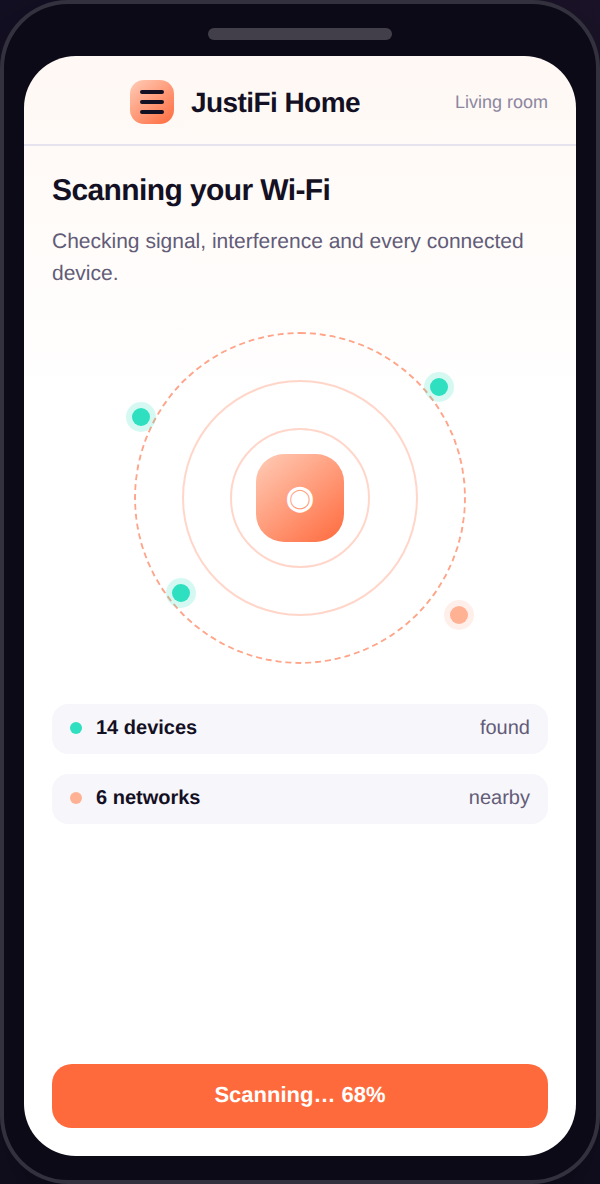
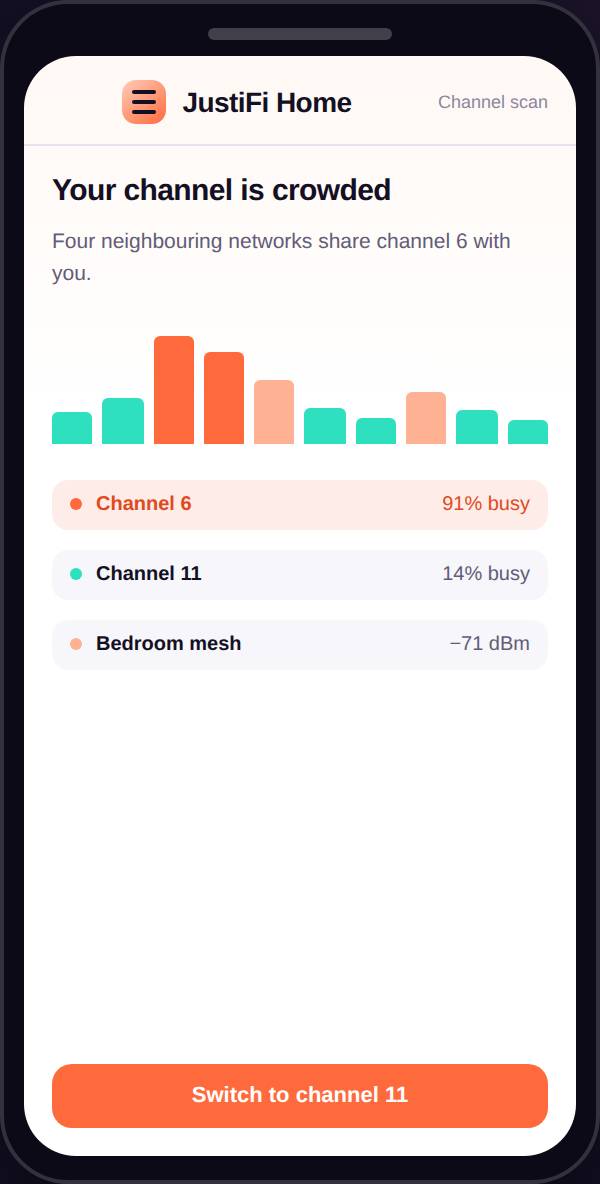
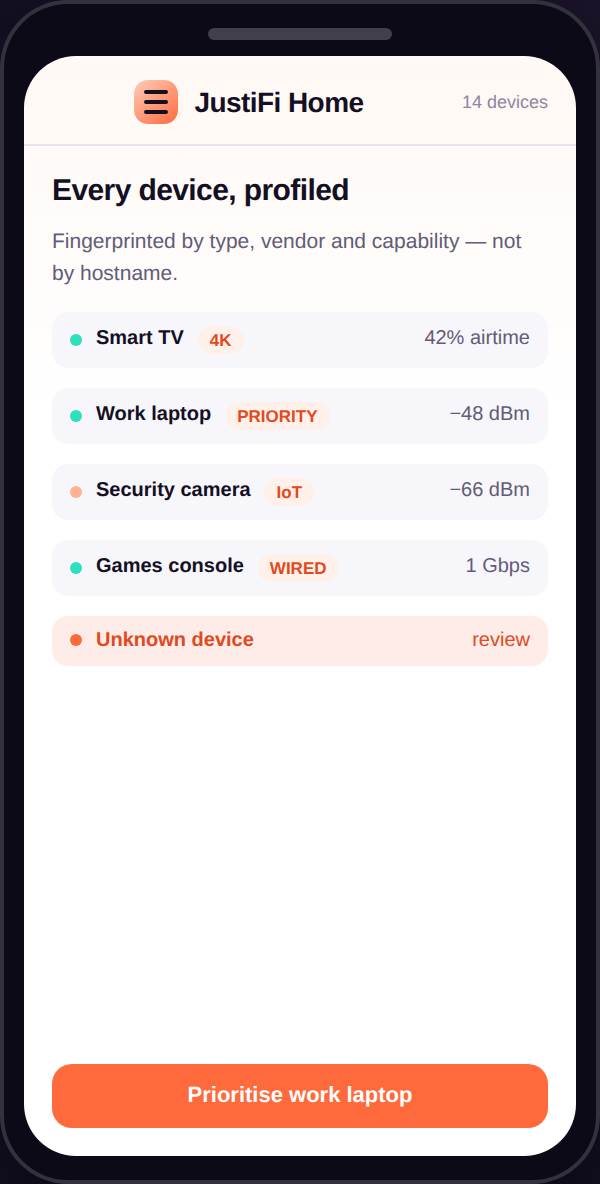
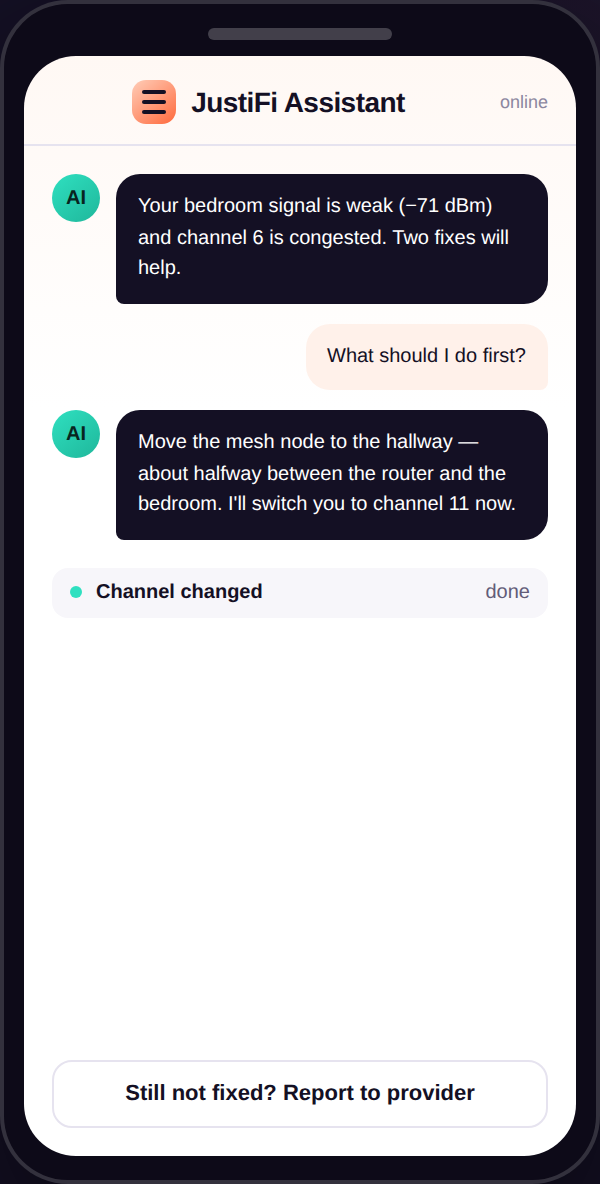
Capabilities in full
Everything the platform does, grouped by the team that uses it.
Wireless diagnostics
- Signal strength, noise floor and signal-to-noise ratio
- Channel utilisation and airtime occupancy
- Neighbouring network discovery and overlap analysis
- Co-channel and adjacent-channel interference detection
- Band and standard in use: 2.4, 5 and 6 GHz, Wi-Fi 5 to 7
- Room-by-room coverage walkthrough and weak-spot mapping
- Mesh node placement guidance
- Historical trend per location over time
Performance measurement
- Throughput test to the operator edge and to the internet
- Latency, jitter and packet loss measurement
- Per-device and whole-network bandwidth usage
- Time-of-day performance profiling
- Wired versus wireless comparison to isolate the fault
- Browser edition covering speed, latency and jitter
- Scheduled background checks with alerting
- Results shared to the operator as structured data
Devices and traffic
- Automatic fingerprinting by type, vendor and model
- Capability profiling: supported bands, standards and streams
- Unknown and unexpected device alerting
- Per-device traffic prioritisation policy
- Airtime hogs identified and surfaced
- Per-device pause and parental controls
- Guest network management
- Live in-home topology of wired and wireless stations
Resolution and integration
- AI agent for diagnosis and guided remediation
- Plain-language explanation of every finding
- In-app complaint lodging with status tracking
- Structured fault reports into your ticketing system
- Escalation with full diagnostic context attached
- White-label branding and theming
- SDK for embedding into an existing subscriber app
- Open API into your OSS, BSS and care platforms
Where it gets deployed
Deflecting the coverage call
The subscriber scans the slow room, sees the reading, and is guided to move the mesh node — instead of calling to report that the internet is broken.
Arming the contact centre
When a call does come, the agent already has the scan: signal, interference, device inventory and throughput, captured at the point of complaint.
Avoiding the truck roll
A field visit is dispatched only when the data says the fault is outside the home, rather than on the subscriber's description of it.
Quick check with no install
The browser edition lets a support agent send a link mid-call and get speed, latency and jitter back in seconds.
The rest of the platform
Standards-based management across eight platforms. Useful alone, better together.
JustiFi ACS
Carrier-grade TR-069 and TR-369 device management
ExploreHyperNMS
Multi-vendor network monitoring and fault management
ExploreHyperRecursor
Carrier-grade DNS resolution for ISPs and large enterprises
ExploreHyperWAN
SD-WAN for always-on connectivity at the edge
ExploreOMNIFI
Cloud-managed Wi-Fi for enterprises and growing businesses
ExploreOMNISPOT
Guest Wi-Fi, captive portal and PM-WANI compliance
ExploreCommon questions
Does the subscriber have to install an app?
Not for a basic check. The browser edition runs from a link and reports the device's own wireless performance — speed, latency and jitter — with nothing to install. The full scanning, fingerprinting and AI resolution features need the native app, because a browser is not permitted to see the wireless environment.
What can the app see that our CPE telemetry cannot?
Everything that depends on location. Signal strength where the subscriber actually is, neighbouring networks and the interference they cause, channel congestion in that specific spot, and the real throughput at the far end of the home. Gateway telemetry describes the gateway; this describes the experience.
What does the AI agent actually do?
It reads the scan and explains what is wrong in plain language, then walks the subscriber through the remedy step by step. Where the fix is outside their control it says so and lodges the complaint with the diagnostic data already attached, so nobody re-gathers it.
Can it carry our branding?
Yes. It ships white-label, and there is an SDK if you would rather embed the diagnostics into the subscriber app you already publish rather than ask people to install a second one.
How does it relate to JustiFi ACS?
They see the network from opposite ends and are strongest together. ACS gives you the gateway's view across the whole fleet; Home gives you the subscriber's view inside one property. Deployed together, a complaint arrives with both.
Put JustiFi Home in front of your own network
Bring your CPE models, your protocol mix and your integration constraints. A solutions engineer will show you what the platform does with them — no slides.